
Abstract
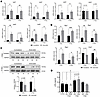
Lysophosphatidic acid (LPA) is a bioactive lipid that signals through G protein–coupled receptors (LPA1–6) and regulates multiple cellular processes, including fibrosis. Although LPA signaling has been implicated in fibrotic diseases in several organs, its role in skeletal muscle remains unclear. Here, we show that LPA/LPA1 signaling promotes fibrogenesis after sciatic nerve transection. Denervation induces differential expression of LPA signaling axis components and a transient early increase in intramuscular LPA levels. Pharmacological inhibition of LPA1/3 with Ki16425, or genetic deletion of LPA1, reduces extracellular matrix accumulation and expansion of fibro/adipogenic progenitors (FAPs) in denervated muscle. Although LPA blockade suppresses atrophy-related gene expression, it does not fully preserve myofiber size. Mechanistically, denervation increases YAP/TAZ expression, nuclear localization in FAPs, and transcriptional activity, effects that are attenuated by LPA axis inhibition. Furthermore, pharmacological inhibition of YAP/TAZ with verteporfin reduces fibrosis after denervation, supporting their role as critical downstream mediators. Finally, transient denervation activates the LPA axis, promotes muscle fibrosis, reduces axonal density in the sciatic nerve, and increases neuromuscular junction instability, effects reversed by Ki16425. Together, these findings identify the LPA/LPA1/YAP/TAZ pathway as a key driver of denervation-induced muscle fibrosis and a potential therapeutic target in neuromuscular disorders.
Authors
Meilyn Cruz-Soca, Adriana Córdova-Casanova, Jennifer Faundez-Contreras, Nicolás W. Martínez, Francesca Vaccaro-Rivera, Sebastián Bazaes-Astorga, Cristian Gutiérrez-Rojas, Felipe S. Gallardo, Daniela L. Rebolledo, Felipe A. Court, Jerold Chun, Carlos P. Vio, Soledad Matus, Juan Carlos Casar, Enrique Brandan
This file is in Adobe Acrobat (PDF) format. If you have not installed and configured the Adobe Acrobat Reader on your system.
Having trouble reading a PDF?
PDFs are designed to be printed out and read, but if you prefer to read them online, you may find it easier if you increase the view size to 125%.
Having trouble saving a PDF?
Many versions of the free Acrobat Reader do not allow Save. You must instead save the PDF from the JCI Online page you downloaded it from. PC users: Right-click on the Download link and choose the option that says something like "Save Link As...". Mac users should hold the mouse button down on the link to get these same options.
Having trouble printing a PDF?
- Try printing one page at a time or to a newer printer.
- Try saving the file to disk before printing rather than opening it "on the fly." This requires that you configure your browser to "Save" rather than "Launch Application" for the file type "application/pdf", and can usually be done in the "Helper Applications" options.
- Make sure you are using the latest version of Adobe's Acrobat Reader.


